

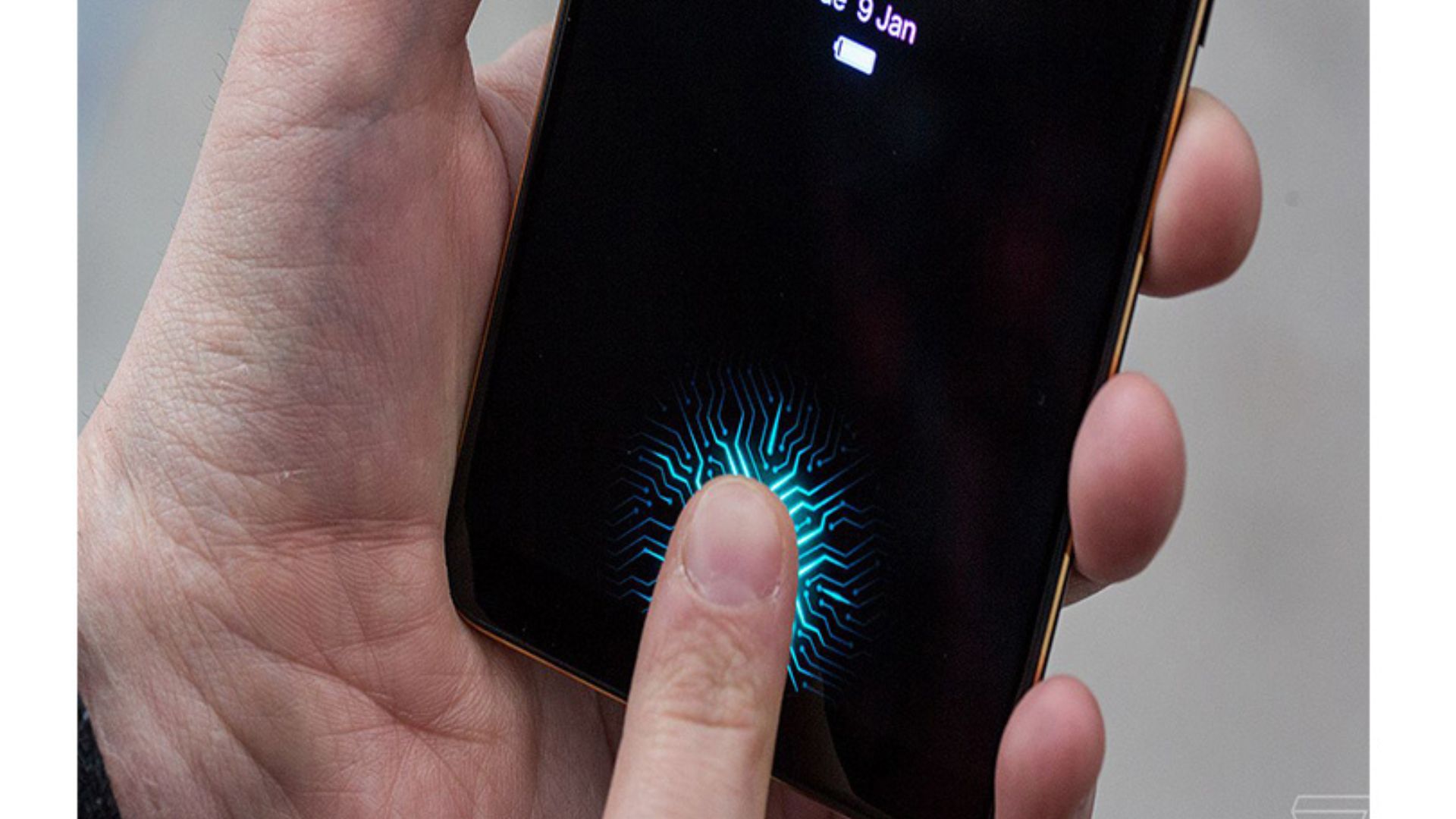
How Does The Fingerprint Sensor Work Even though lock and password systems have improved a lot, they are still risky. Hackers can easily crack them, which is a serious issue from a security point of view.
The solution to this problem can be found in biometric authentication. Compared to locks and passwords, these are considered very secure like Fingerprint scanning, which is not compatible with one person except another.
This security system, seen in science fiction (sci-fi) movies until recently, can now be found in smartphones, laptops, and other devices.
There are also types of fingerprint scanning. Optical, capacitive, and ultrasonic are the types of fingerprint scanners. This article discusses how these technologies work:
Optical fingerprint scanner
The optical fingerprint scanner is the oldest technology in fingerprint detection. These scanners use light and image-capturing devices to accurately record fingerprints.
This technology takes a picture of the fingerprint and changes it digitally.
These types of fingerprint scanners rely on light-sensitive microchips such as charged coupled devices (CCDs) or metal-oxide semiconductors (CMOS). Generally, these microchips act as sensors to capture fingerprint images.
Their job is to understand the different patterns in fingerprints. When those different patterns are exposed during scanning, the scanner converts them into a binary chain of 0’s and 1’s. In this way, the scanner generates a unique digital key for each user.
Because they are accurate, reliable, and easy to use, optical fingerprint scanners are used in personal security systems and technologies such as smartphones. However, optical fingerprint scanners are not free from weaknesses.
The most negative aspect is that you can trick the machine by creating a fake fingerprint.
Capacitive fingerprint scanner
Capacitive fingerprint scanners have been used in smartphones for a long time. Apple started this fingerprint scanner with the iPhone 5S.
The surface of this type of scanner is made of conductive material (copper/indium tin oxide). Which is connected to the conductive circuit itself.
Ultrasonic fingerprint scanner
A new technology for fingerprint scanning is ultrasonic. In that sense, this is an upgraded version. For now, this technology is a bit expensive. It implements in-display scanning. That is, users can unlock their phone based on pressing the screen. It works like ultrasonography.
It works by sending sound waves (ultrasonic) that cannot be heard by the human ear. which hits the thumb. Based on that 3D map is prepared. Simply put, this scanner uses an echo to create a 3D map of your fingerprint. Which optical and capacitive fingerprint scanners cannot do.
Similarly, even if the fingerprint is very dry or wet, the sensor works in this way. However, these sensors are relatively slow. Also, they are expensive compared to the above two scanners.
Role of software in fingerprint scanning
Apart from technology, fingerprint scanning is influenced by software and other factors. Different companies use their own fingerprint identification algorithms. This makes the scanner faster or more accurate.
A special chip is used to analyze the scanned fingerprints. It uses an algorithm to identify different parts of the thumb arc.
Advantages and Disadvantages of Fingerprint Scanning Method
We have already discussed three types of fingerprint scanners above. Here we briefly discuss their pros and cons:
Optical scanner
Advantage: Fast, can work under display screen
Disadvantages: Susceptible to fake fingerprints
Capacitive scanner
Advantage: Fast and safe
Disadvantage: Does not work under display screen
Ultrasonic scanner
Advantage: Safe, working under display screen
Disadvantages: Expensive, slower than other scanners
This is how a smartphone scans your fingerprint
These are the main types and techniques in fingerprint scanning at present. They have their own advantages/disadvantages. There are some shortcomings. They will improve in the coming days.
The smartphone uses optical, capacitive and ultrasonic technology to read your fingerprint. An optical fingerprint reader uses a special type of camera.
Next, the mobile will convert your fingerprint photo into a code. However, with the help of a good image of the fingerprint, this sensor can be easily bent.
So it is connected to the capacitive scanner. This technology works to detect whether there is really a fingerprint on the screen or just a picture of it.
Capacitive fingerprint scanners use a small capacitor grid to store electricity. When the wave of your fingerprint touches the capacitor grid, electricity is discharged during that time.
In this way, an array of thousands of capacitors is used to map your fingerprint. Apart from this, the help of an ultrasonic fingerprint scanner is taken to scan modern fingerprints.
Did the phone’s fingerprint sensor not work? Do this
1) Update the software
You may be fed up with frequent updates on your phone. So we turn off notifications about updates.
In fact, the fingerprint sensor may have stopped working because we turned off the update notification and did not update the device. Due to the weakness in the software, there are various weaknesses in the device.
2) Clean using a cotton swab or Qtip
Most devices have a fingerprint sensor on the lock button or on the back, except for the under-display fingerprint sensor. Therefore, the sensor may not be supported due to dust, finger dirt, or any other dirt.
Therefore, the sensor can be cleaned using a cotton swab or Qtip (cotton). In particular, screen cleaning liquid (isopropyl alcohol) can be removed by rubbing the swab on the sensor. However, while cleaning, it should be wiped slowly.
3) Turn on the Fingerprint setting
You might have turned off the fingerprint sensor from the settings while using the phone. Also, you may have been told that the fingerprint works on the device when you purchase it. But, you might not care.
This means that the fingerprint option may be turned off in your device settings. In that case, you can turn on the fingerprint again on the device by following the procedure given below.
– First of all open the settings app of the device.
– Then go to the Biometrics and Security option.
– Then, go to the fingerprint option.
– After doing this tap on add fingerprint option and add a fingerprint. By doing this, the possibility of unlocking your device with your fingerprint is high.
4) Restart the phone
Sometimes turning the device off and on can solve some problems. Especially when the Wi-Fi is not working, apps are not running properly or the device does not support fingerprint, turning the device off and on can solve your problem.
5) Go to the service center
In some cases, the fingerprint sensor may not work even after following all the procedures mentioned above. In this case, your fingerprint sensor may be damaged or less sensitive.
In some cases, if water enters the sensor or if it has fallen somewhere, even if the sensor is affected, the sensor does not support your fingerprint sensor. In that case, there is no need to buy a new device just for the fingerprint.
6) Repair it yourself (for experienced users only)
Most of the hardware-related problems like broken fingerprint sensors can also be repaired at home.
However, for users who have never repaired the device, there is also the risk of causing more problems. So, if you are proficient in repairing the device, you can open the device and check and repair it yourself.