

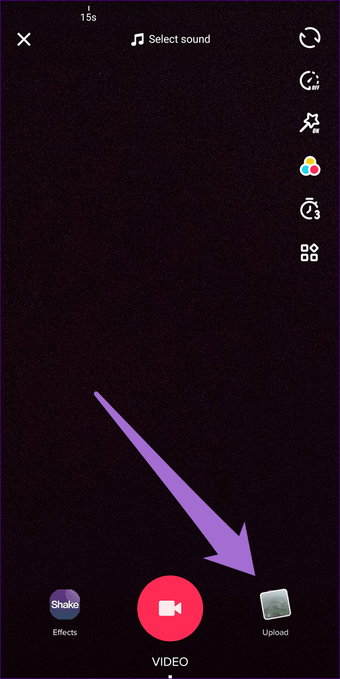
How to upload video in TikTok
How to upload video in TikTok this is one of the entertainment applications to find into your smartphone and iPhone also too. Here I would be share with you how we can upload a video original into from your gallery. Here step by step I will be teach to you.
Here Step by Step how to upload video in TikTok
- Open your TikTok apps from your device mobile
- After you opened your apps then scroll to see + button to see
- Click on that button You will see an option to choose video upload
- Choose your video from your gallery
- Then a page will be open your video there then you can edit your video.
- After complete edit your video Then you can be seen a to press button of next
- Click it Next button then you used a message about your video with a hashtag
- You can press to click to public button.
Here simple step I have been share with you uploading TikTok video from your device. If any confused under this step to follow up lets me know your comment below. It might help from your side to know it well for me. If you look into this post then you will be understood well.
There is a different video we can see a youtube channel in which people were confused about it. I just explain into own English languages as well explain to you. Mention image you can option to upload video from your gallery phone.