

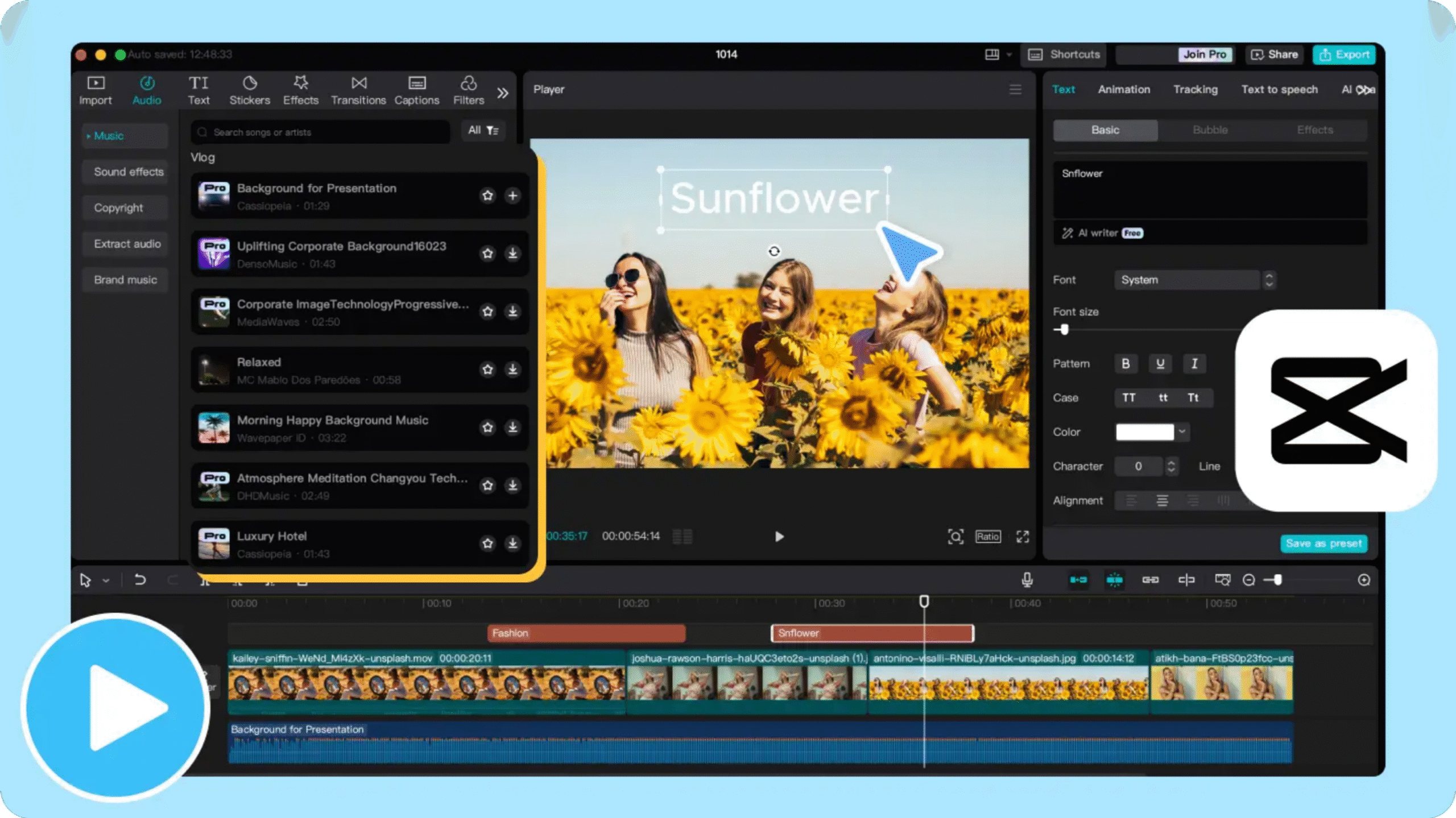
How To Use CapCut Video Editor CapCut’s video editor is the number one and is used by all people in different places. By using it, many people have learned editing and have also learned many things by editing. Various editors have also taught videos well and use this app to edit videos. Many people use it because it is easy to edit videos and edit videos.
This editing app is also very good and is also very good for editing videos, and all YouTubers and all content creators use it a lot. I am also going to teach you how to use it.
You need to download any app or the official app of Capcut, and after downloading, you can install it. And then you can open the app. And after opening it, you will get something called a new project. And after clicking on the new project, your videos will be created. And according to which video it is, click on it, and after clicking on the video, you will be able to get your editing tools on the dashboard below, where you will be able to use everything you need to know about how to edit, where to cut, where to put music, and where to put text.
Initially, if you are a beginner, you will have to learn to edit. To edit, you will have to understand and do things like where to cut, where to remove, and where to keep private. If you upload videos to YouTube and upload YouTube music, you will have to be able to download music. After downloading, you will be able to add songs to the videos from the video editing app.
Capcut is very easy to use as a video editor because many people use it on mobile, and people also use it on laptops. And they have also taken advantage of it and are still taking advantage of its opportunities.