

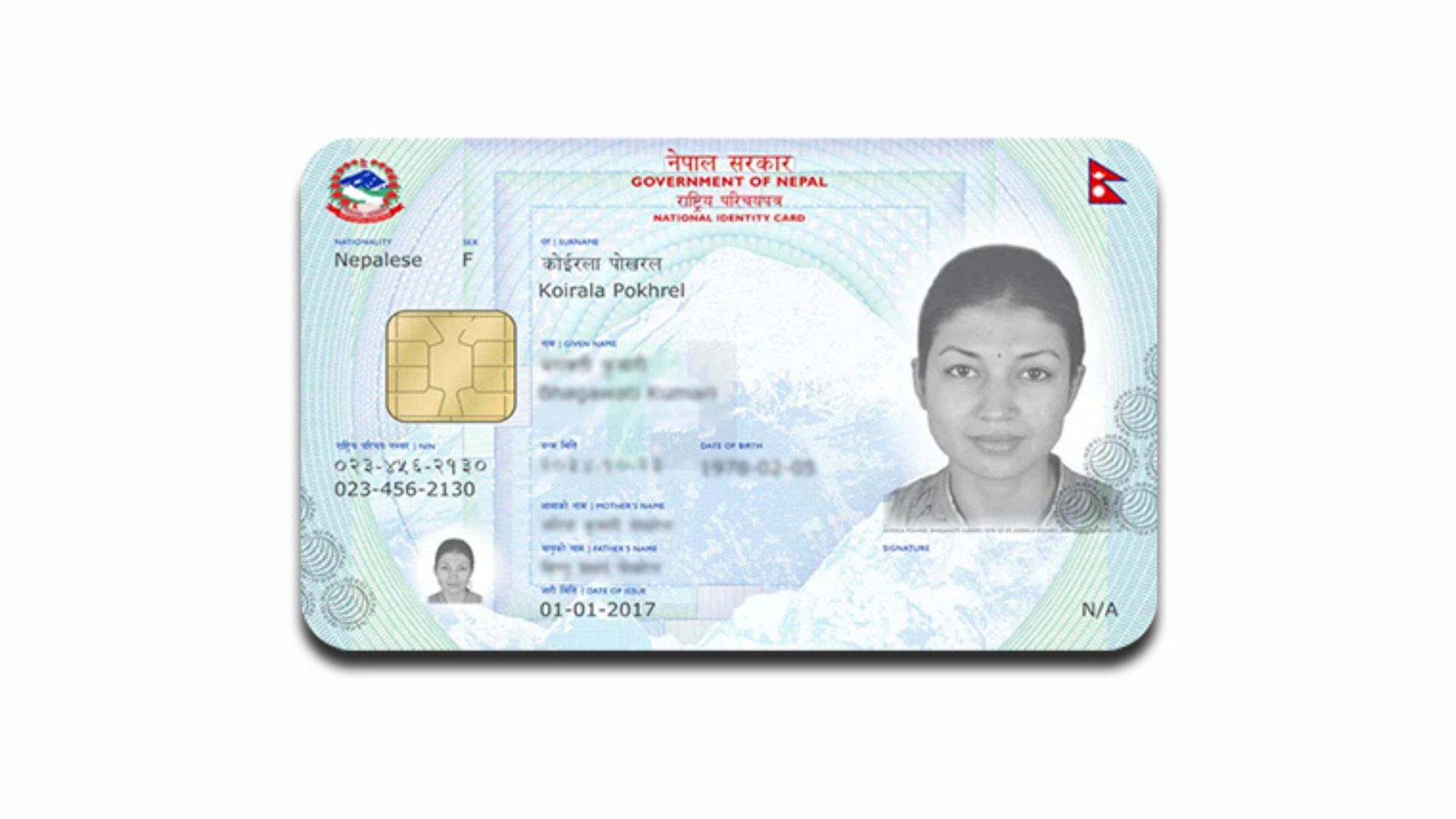
Still Haven’t Got Your National Identity Card Recently, the National Identity Card and Registration Department has accelerated the distribution of national identity cards. The department also widely publicized the National Identity Card during the Personal Incident Registration Week held last May.
In a general sense, the national identity card is a multi-use certificate of national identity based on smart card technology with electronic chips and security containing personal (demographic) and biological (biometric) details of citizens. After the implementation of the national identity card, it is necessary to submit the identity card to receive any service facility provided by Nepal or to request such service facility.
In addition, the department said that the national identity card will be required as it is recognized as the main basis for receiving public services and as proof of identity of a person.
Generally speaking, now you have separate documents such as a citizenship certificate, marriage registration certificate, voter ID card, driver’s license card, PAN card, etc. The card that has been issued with all of them in one place is the national identity card. You can click here to learn more about the National Identity Card.
Today we are giving information on how to apply for a National Identity Card and how to know the progress after applying.
This is how to apply for a national identity card online!
- First of all, go to the ‘Online Application for National Identity Card’ page by clicking here.
- This page has two sections. From there, click on the Login button next to ‘Login for Individual’.
- After doing this, put your number in the mobile number box that appears there and wait for a few seconds by entering the OTP code received in the SMS. And there appears the dashboard.
- Then click on the ‘New Enrollment’ button shown above.
-
After doing this, you will see a pop-up informing you about what to pay attention to before filling out the application. Read it carefully.
-
Now fill in the requested details. Here, if you have to write the name in Nepali, then you type it in the same way as you type in Roman. For example, if your name is Ram, when you type (Ram), ‘Ram’ will be typed. The Romanized keyboard is selected by default. If you prefer to type on a traditional keyboard, there is also an option for that.
-
Then type your first name in English. By keeping the citizenship number, after you fill in all the details, you can choose which date and which office to go to on the biometric day and take the time.
-
After completing all the process in this way PDF will appear on your screen. Print that PDF and go to the designated office at the designated time to give the biometrics.
How to see the progress after applying for a national identity card?
If you have already registered the details for the National Identity Card, please mention your National Identity Card number and its printing status and follow the following procedure.
– Click here first for that. And keep the said details there. Similarly, to get information about your identity card number or the status of your identity card, you can contact 01-4200014, 01-4211563, and 01-4200894 or send a WhatsApp message to 9847346412, 9851300520, and 9851316034.